
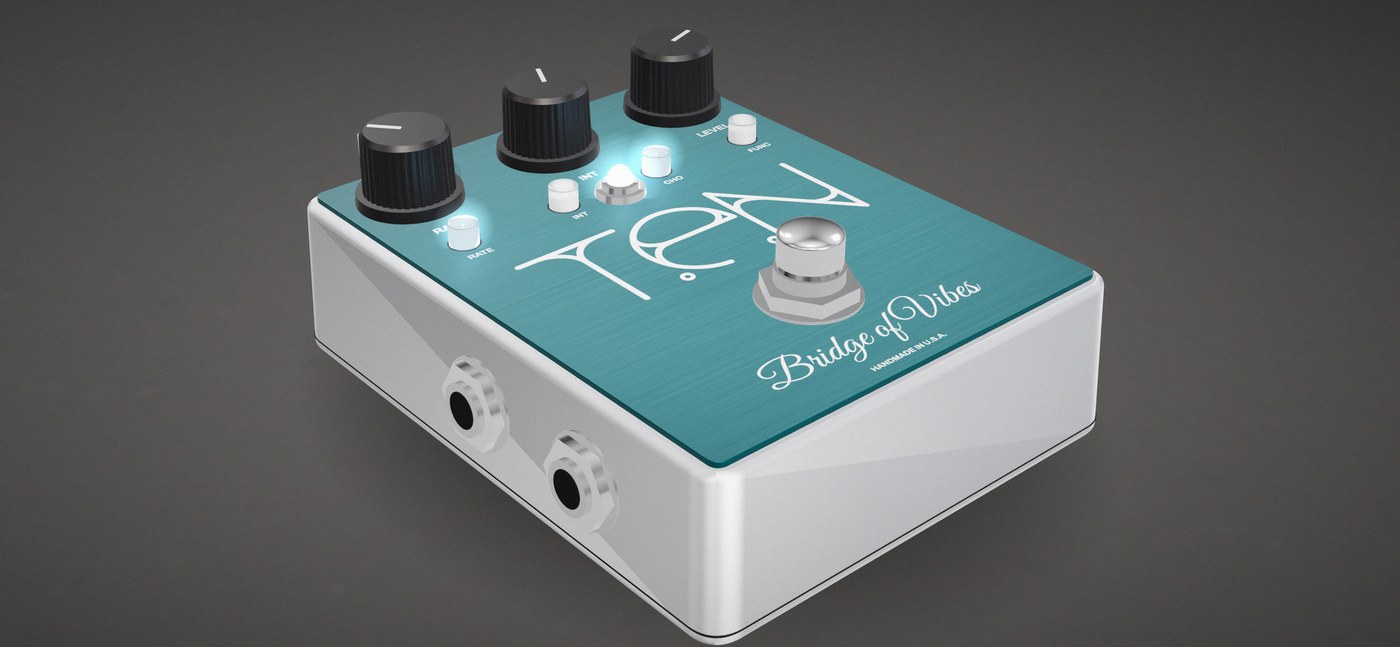
Non-treadle version · optical chorus / vibrato
Bridge of Vibes
The same chewy optical throb as the treadle version, in a box that fits your pedalboard. Three presets, tap tempo and a second output.
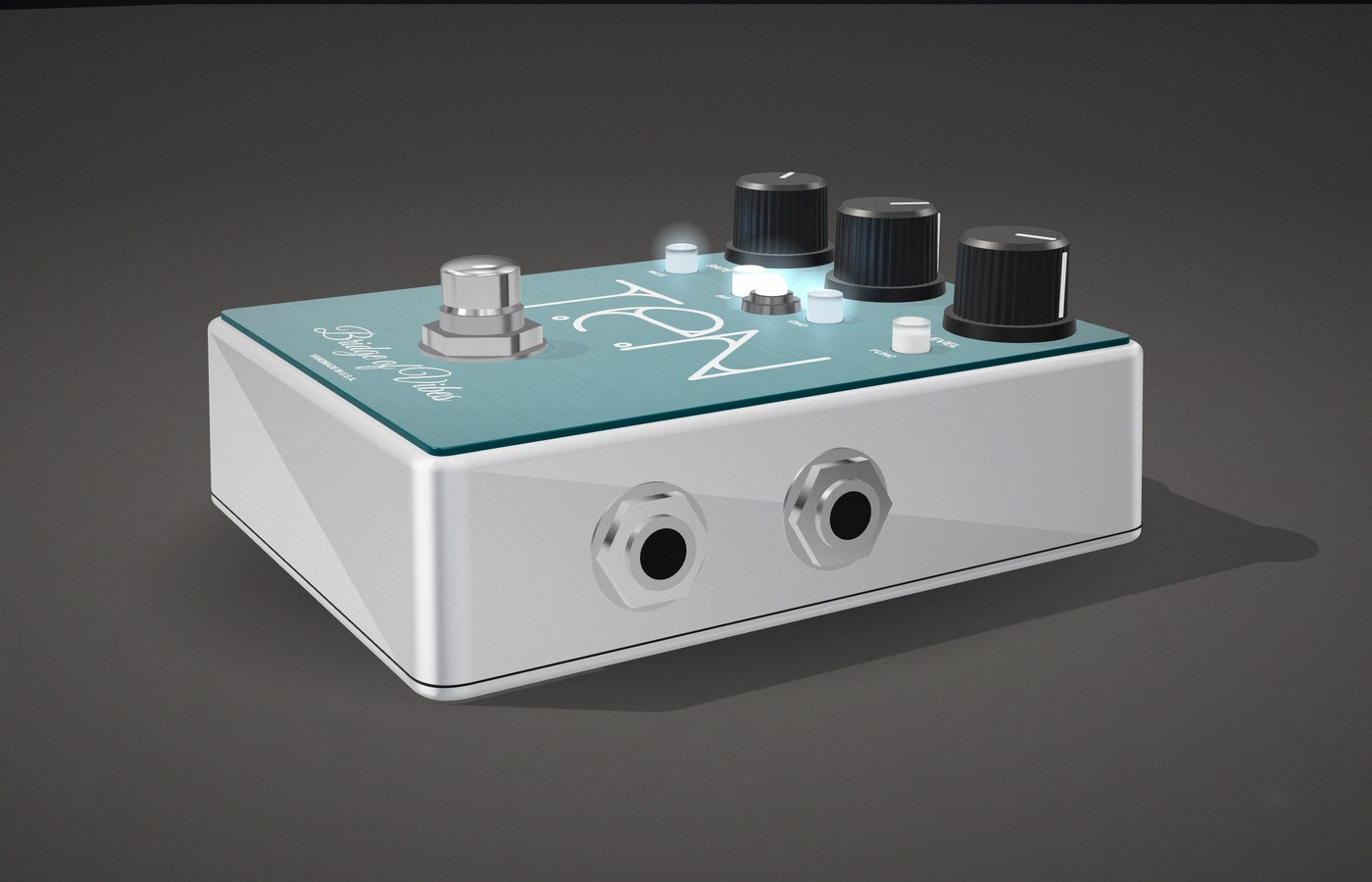
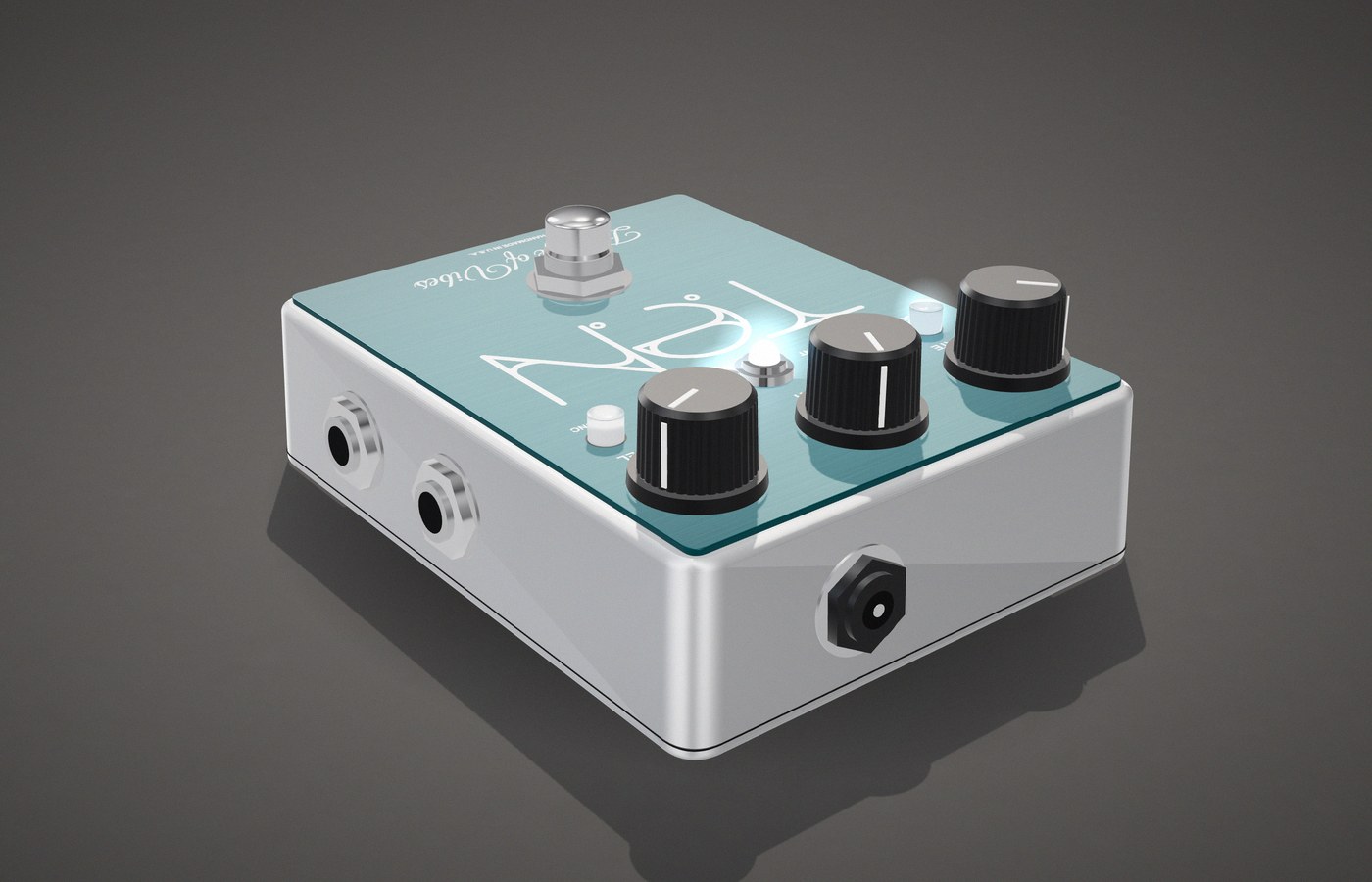
The pictures on this page are renderings. Photos of the finished pedal are coming as soon as the production faceplates arrive.
What it does
This is the Bridge of Vibes circuit — the same 100% analog, four-stage optical signal path as the treadle version — built into a 1590BB-size aluminum box with no treadle. You set the speed with the Rate knob, or tap it in with your foot. Three presets hold complete sounds you can step through on stage.
Chorus mode blends the effect with your dry signal for a wide, lush shimmer. Vibrato mode is wet-only — pure, warbling pitch modulation, no dry signal underneath it.
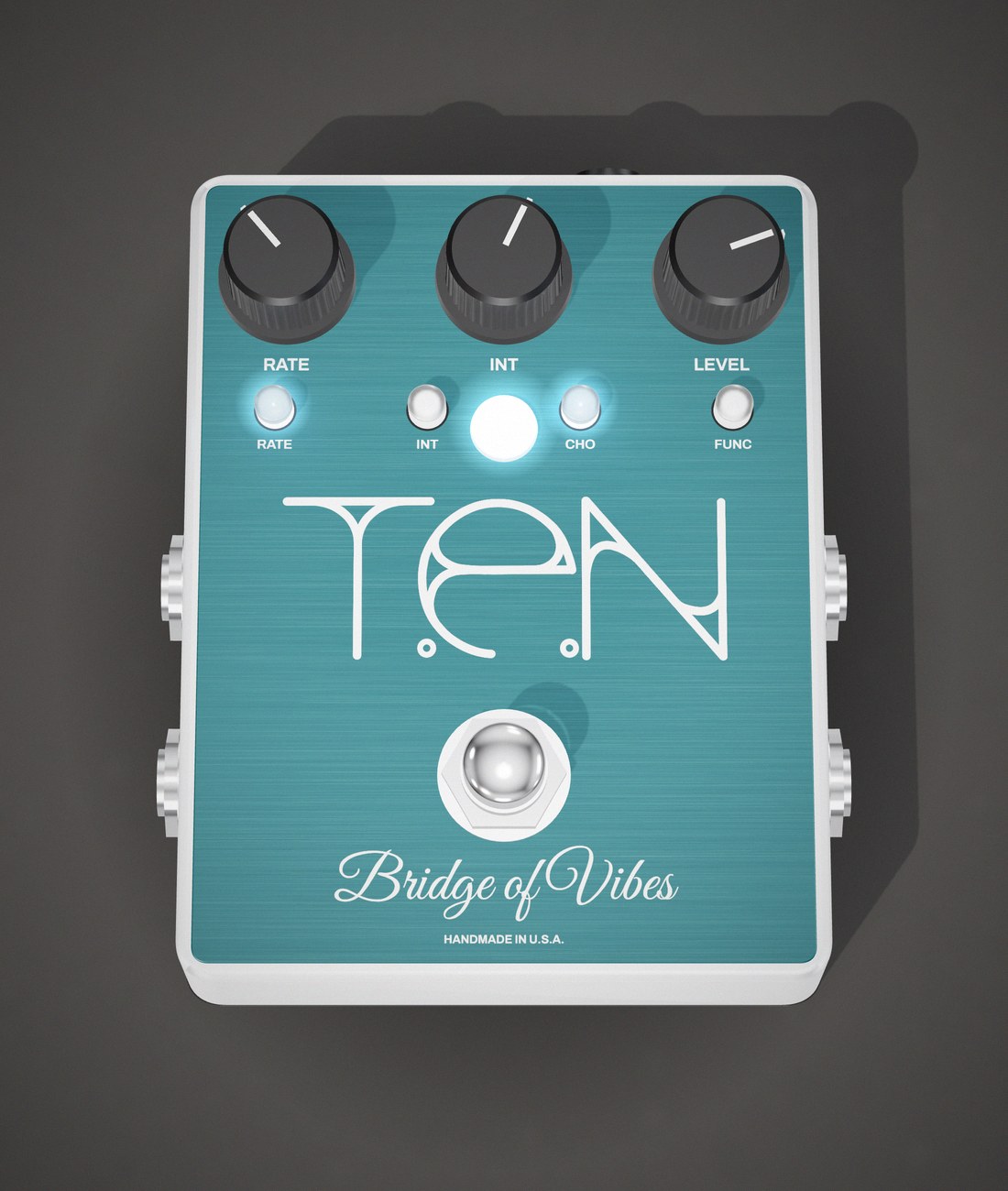
Controls
- RateThe modulation speed, from a slow underwater sway to a fast warble.
- IntIntensity — how deep the modulation cuts.
- LevelOutput volume, to match your unaffected signal.
- FootswitchEffect on or off. True bypass when it's off.
- RATE switchHold it to lock the Rate knob where it is, so a stray bump on stage can't change it. Hold again to unlock.
- INT switchThe same lock, for the Int knob.
- CHO switchTap for Chorus or Vibrato. Hold to go into or out of preset mode; in preset mode, tap steps to the next preset.
- FUNC switchHold to save a preset. In preset mode, tap steps to the next preset.
Each switch lights up to show what it's doing: RATE blinks with the sweep, CHO is lit for Chorus, and FUNC blinks the preset number in preset mode. Every combination is in the quick reference below.
Tap tempo
Set the speed with your foot, in time with the song. Tap tempo works from the DR-1 remote, or from the pedal's own switches with no remote at all.
- Turn it on: hold the remote's ring button for 1.5 seconds — or, on the pedal, hold RATE and FUNC together for 1.5 seconds. The FUNC light starts flashing at the current speed.
- Tap: tap the remote's ring button, or the pedal's RATE switch, in time. From the second tap, the pedal sweeps once per tap and the FUNC light flashes the new tempo.
- Turn it off: hold the same button (or RATE and FUNC) for 1.5 seconds again. The speed goes back to the Rate knob, its lock, or the preset's own speed.
Taps count the moment your foot goes down, and the last three are averaged. The tapped speed stays put through Chorus/Vibrato changes and preset changes until you turn tap tempo off. It covers about one sweep every three seconds up to 15 sweeps a second.
Presets
Three preset slots each hold a whole sound: Rate, Int, Chorus or Vibrato, and the Vintage Simulator settings. Hold CHO for 1.5 seconds to go into preset mode, then tap CHO (or FUNC) to step 1, 2, 3 and back to 1. The FUNC light blinks the slot number. Hold CHO again to go back to the knobs.
To save one, set up the sound, hold FUNC to start, tap FUNC to pick the slot, then hold and release CHO to write it. The pedal ships with three factory presets, and a factory reset puts them back.
Vintage Simulator
Old optical units owe a lot of their character to their bulbs. The Vintage Simulator shapes how the lamps behave, separately for Chorus and Vibrato — how much of each cycle they spend getting brighter, and how far past their window they reach. Hold CHO and FUNC together to adjust it with the Rate and Int knobs, right on the pedal. A factory reset always brings it back to stock.
Two outputs
Out 1 is the effect. Out 2 carries your clean, unaffected signal in Chorus mode and the vibrato in Vibrato mode. Run two amps in Chorus and the effect happens in the air between them.
Remote
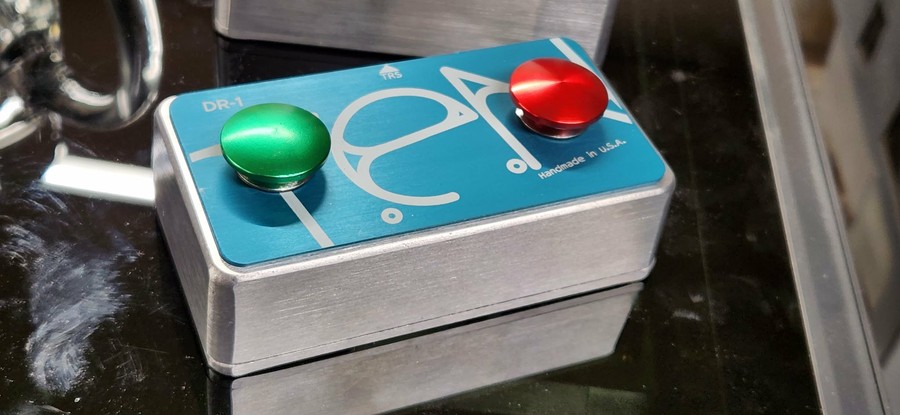
The optional DR-1 Dual Remote plugs in with a single TRS cable. Its tip button does everything the CHO switch does — Chorus/Vibrato, preset mode and stepping through presets — and its ring button is the tap tempo switch. It's sold separately.
Build
A 1590BB-size aluminum enclosure, drilled by hand, with the 9V jack on the top end so it stays out of the way on a crowded board. Every board is hand-populated, calibrated and tested before it goes in the box.
Quick reference
Every function, and how to get to it. “Hold” means 1.5 seconds; “+” means hold both together.
| Function | How |
|---|---|
| Effect on / off | Tap the footswitch |
| Chorus or Vibrato | Tap CHO (or the DR-1 tip) |
| Lock / unlock Rate | Hold RATE 1.5 s, while playing on the knobs with tap tempo off |
| Lock / unlock Int | Hold INT 1.5 s, while playing on the knobs |
| Preset mode on / off | Hold CHO 1.5 s (or the DR-1 tip) |
| Next preset | In preset mode, tap CHO, FUNC or the DR-1 tip |
| Tap tempo on / off | Hold the DR-1 ring 1.5 s, or hold RATE + FUNC 1.5 s |
| Tap the tempo | With tap tempo on, tap the DR-1 ring or RATE |
| Save a preset | Hold FUNC 1.5 s, tap FUNC to pick the slot, then hold CHO and let go |
| Factory reset | Hold FUNC 1.5 s, tap CHO once, then hold CHO and let go |
| Back out without saving | Hold FUNC 1.5 s again |
| Vintage Simulator on / off | Hold CHO + FUNC 1.5 s. Int knob = rise, Rate knob = extend, tap CHO to switch between Chorus and Vibrato |
| Rate LED blinking on / off | Hold CHO + RATE 1.5 s |
What each switch does
The same switches, the other way round. “Saving” is the mode you get by holding FUNC: it saves a preset or does a factory reset.
| Press | Playing on the knobs | Preset mode | Saving / Vintage Simulator |
|---|---|---|---|
| Footswitch, tap | Effect on / off | Effect on / off | Effect on / off |
| RATE tap | — (tap tempo on: a tap) | — (tap tempo on: a tap) | — |
| RATE hold | Lock / unlock Rate (not while tap tempo is on) | — | — |
| INT hold | Lock / unlock Int | — | — |
| CHO tap | Chorus or Vibrato | Next preset | Saving: switch between SAVE and FACTORY RESET. Vintage Simulator: edit Chorus or Vibrato |
| CHO hold | Preset mode on | Preset mode off | Saving: arm it, then let go to do it |
| FUNC tap | — | Next preset | Saving: next slot |
| FUNC hold | Save a preset / factory reset | Save a preset / factory reset | Saving: back out, nothing saved |
| CHO + FUNC hold | Vintage Simulator on | Vintage Simulator on (the preset's settings, until you save it) | Vintage Simulator: off |
| CHO + RATE hold | Rate LED blinking on / off | Rate LED blinking on / off | — |
| RATE + FUNC hold | Tap tempo on / off | Tap tempo on / off | — |
| DR-1 tip | Same as CHO | Same as CHO | Same as CHO |
| DR-1 ring, hold | Tap tempo on / off | Tap tempo on / off | — |
| DR-1 ring, tap | Tap tempo on: a tap | Tap tempo on: a tap | — |
Specifications
| Power requirement | 9V DC |
|---|---|
| Power connector | 2.1mm barrel |
| Audio connectors | 1/4" phone: In, Out 1, Out 2 |
| Remote | 1/4" TRS, for the DR-1 Dual Remote |
| Bypass | True bypass |
| Enclosure | 1590BB-size aluminum |
| Price | $450 |
| DR-1 Dual Remote | $70, sold separately |
Pedal tools
Like the treadle version, this Bridge of Vibes talks to your browser. With the TEN Effects USB programming adapter you can back up your settings, load presets other players have shared, build your own, shape the Vintage Simulator and keep the firmware current — nothing to install.
Open the Bridge of Vibes tools →
Buy a Bridge of Vibes (non-treadle) · Buy the DR-1 Dual Remote · See the treadle version